Stand at any mithai shop counter before Diwali. Nobody says “give me sweets”. They say “half kilo kaju katli, one kilo motichoor, in the silver gift box, ready by Saturday”. The halwai knows exactly what to hand over.
Bing Image Creator, Microsoft’s free text-to-picture tool, needs the same kind of order. “Diwali post” gets something generic. A clear order gets something you can post.
In our experience, the prompt makes most of the difference. Below is a simple formula, then 11 copy-paste prompts for Indian businesses, each with what to tweak. They are examples to try, not results we are showing. New to the tool? Start with our Bing Image Creator free guide.
A clear order gets something you can post.
Use a simple prompt formula: subject, action, scene, style, shape
Microsoft’s help page gives five prompt tips: be specific, use adjectives for colours and textures, include action, set the scene, and name the style and mood. It also suggests lighting, camera angles and styles like “photorealistic” or “digital art”.
So our formula is:
Subject + what it is doing + where + colours and textures + lighting or camera angle + style and mood
Write each part of the formula the way you would write a mithai order.
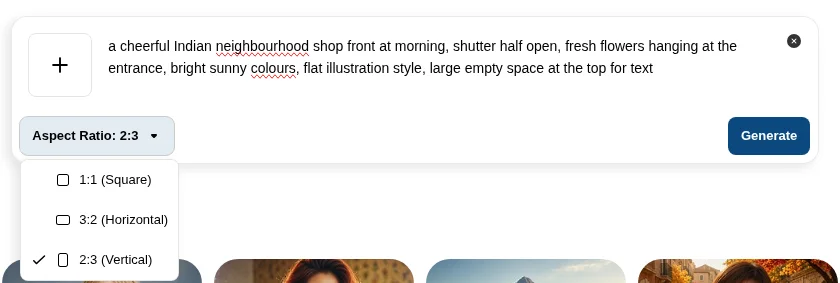
Then pick the shape. Without sign-in, the Aspect Ratio menu offers 1:1 (Square), 3:2 (Horizontal, the default) and 2:3 (Vertical).
1:1 for feeds, 3:2 for blog headers, 2:3 for status.
A hypothetical tea brand in Assam:
Weak: “tea”
a glass of steaming masala chai on a brass tray, cardamom pods and ginger scattered around, morning sunlight from a window, close-up, photorealistic, warm and cosy moodMicrosoft also notes that a prompt very similar to recent ones may return a saved “cached” image. Change a real detail to get something new.
Festive prompts for Diwali, Holi and Eid offers
Leave space for your offer text and add it later in a design tool, because words inside AI images need careful checking.
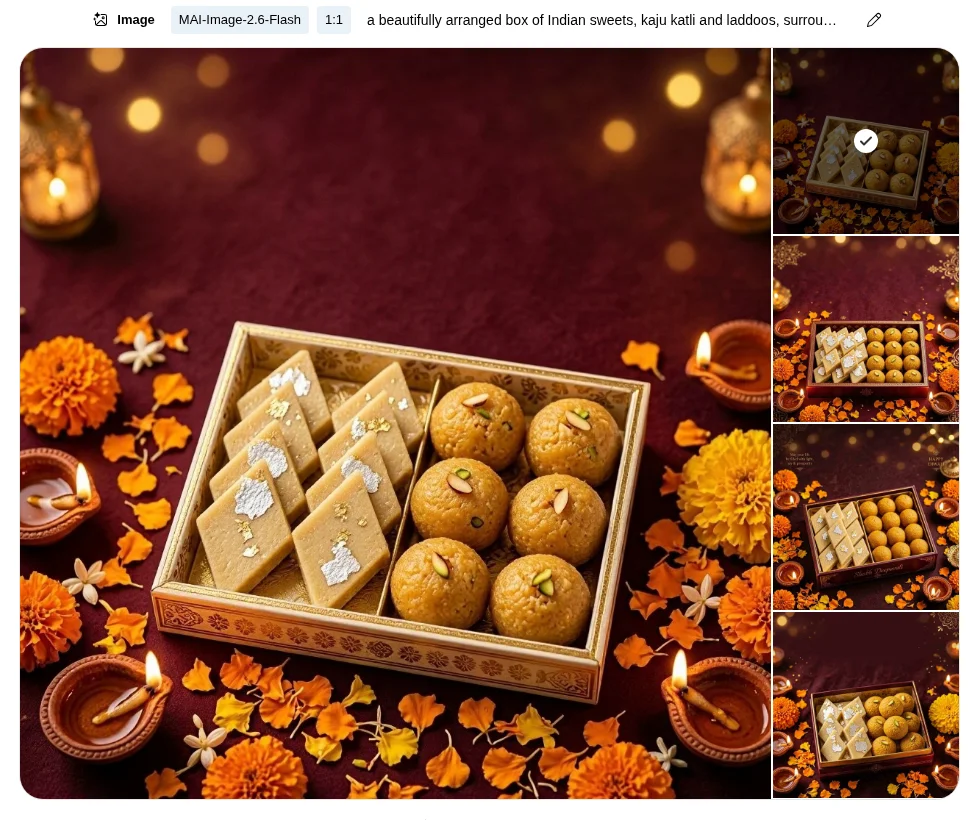
a beautifully arranged box of Indian sweets, kaju katli and laddoos, surrounded by glowing clay diyas and marigold petals, deep maroon and gold colours, soft bokeh lights in the background, top-down view, photorealistic, festive and warm, empty space at the topTweak: swap in your product, such as dry fruits or candles.
bright clouds of pink, yellow and green Holi colour powder bursting across a white background, small brass bowls of gulal in the corner, high-speed photography style, joyful and energetic, plain space on the leftTweak: name your brand colours so the powder matches them.
a crescent moon over a softly lit evening sky, hanging brass lanterns with warm light, a plate of dates and sheer khurma on a carved wooden table, emerald green and gold tones, elegant illustration style, peaceful moodTweak: try “photorealistic” for a product-led post.
The Templates page also has a Diwali Glow template for quick festive edits.
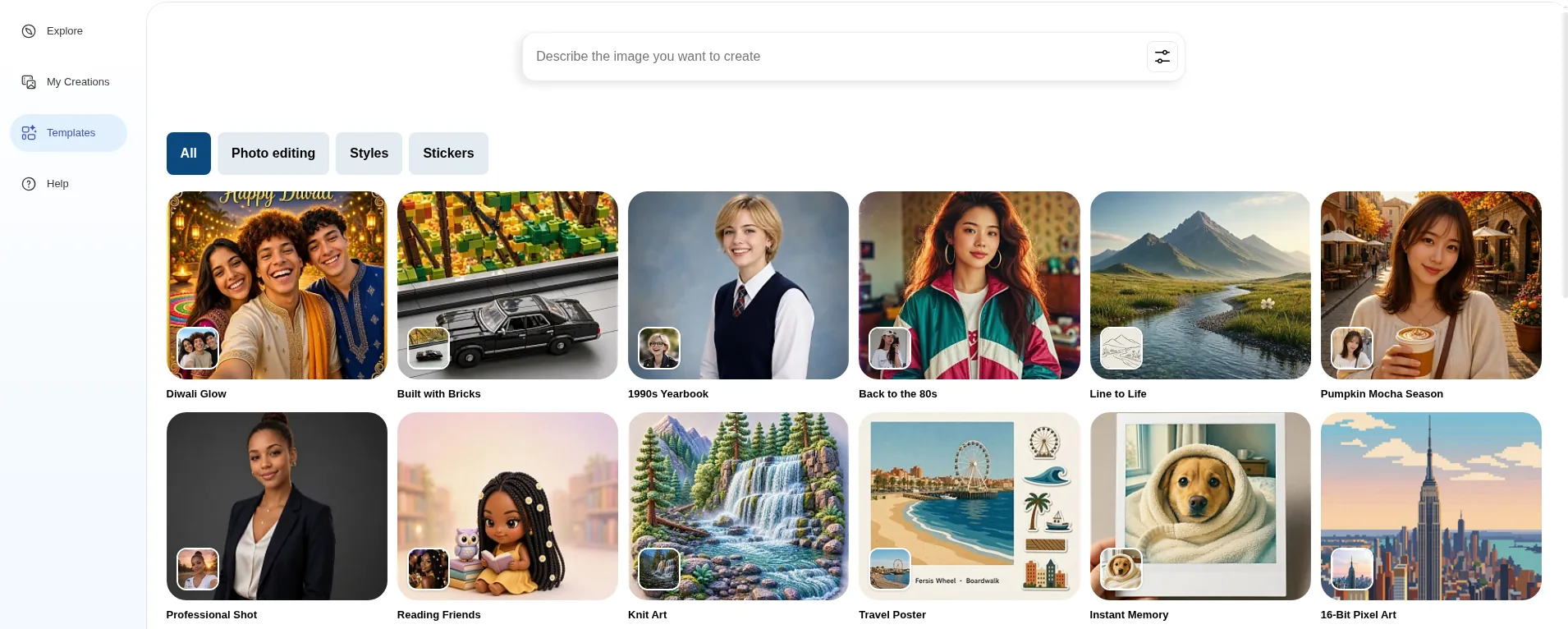
The screenshots in this post come from our own runs of these prompts, so you see what the tool actually returned.
Product and food prompts for kirana, D2C and restaurants
An AI tool cannot photograph your real product. Use these for mood images, backgrounds and menu ideas, and real photos for listings.
a flat lay of Indian kitchen staples, small heaps of turmeric, red chilli powder, rice and moong dal in steel bowls, on a rustic wooden surface, natural daylight, top-down view, clean and fresh, photorealisticTweak: change the items to your best sellers.
an unbranded amber glass bottle on a smooth stone, surrounded by fresh aloe vera leaves and turmeric root, soft morning light, minimal beige background, product photography style, calm and naturalTweak: keep it “unbranded” and add your real label later in a design tool.
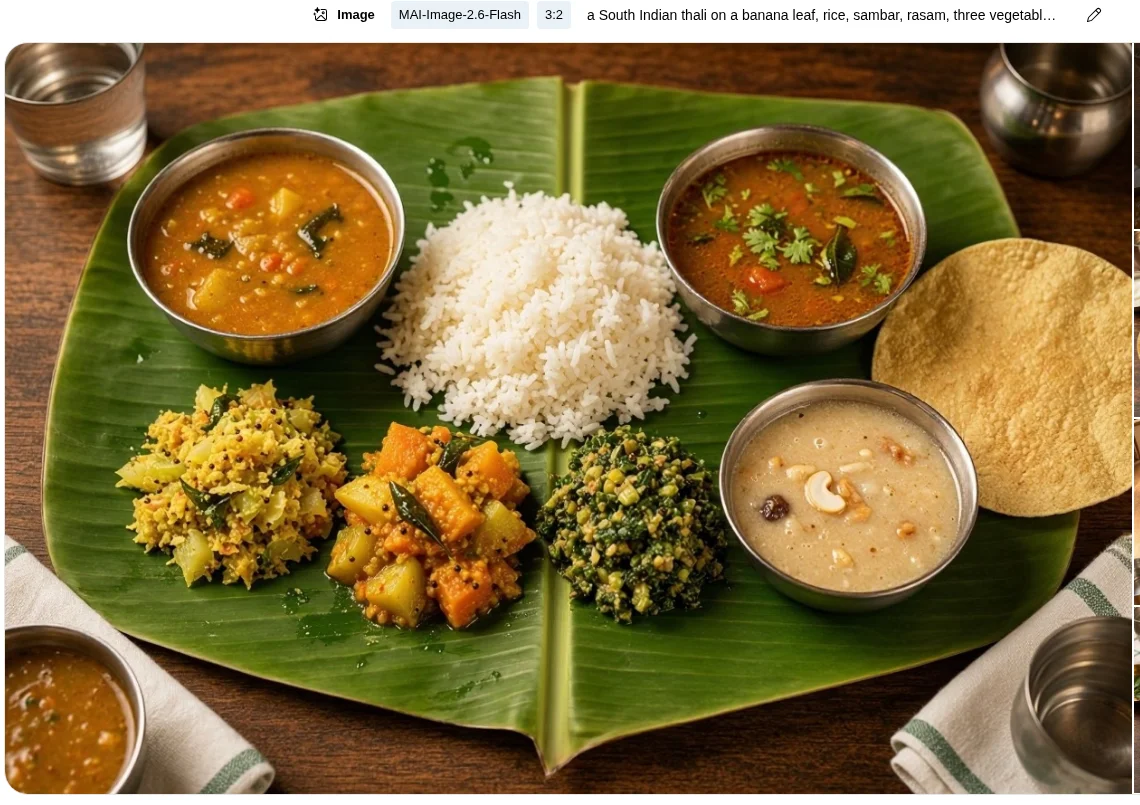
a South Indian thali on a banana leaf, rice, sambar, rasam, three vegetable curries, papad and payasam in small steel bowls, overhead shot, warm restaurant lighting, rich colours, photorealistic, appetisingTweak: list your actual dishes, and call it a serving suggestion if it differs from your plate.
Blog headers and concept visuals for clinics, CA firms, real estate and SaaS
Service businesses often need a header that fits the topic without showing a real person. Illustrations suit this.
a flat vector illustration of a knee joint with soft glowing lines showing movement, calm blue and white colours, clean medical style, plenty of empty space on the rightTweak: change the body part to match the blog topic.
a neat desk with a calculator, a calendar with a date circled in red, a cup of chai and a stack of files, top-down view, soft daylight, flat illustration style, calm and organised moodTweak: swap props to suit the topic, such as a piggy bank for tax saving.
a modern three-storey Indian home with a balcony garden, large windows and warm lights inside, at dusk, palm trees and a quiet street, architectural rendering style, inviting moodTweak: use it only as a concept. Do not present it as the actual property.
an isometric illustration of a laptop showing a simple dashboard with bar charts, small floating icons of invoices and a bell notification, purple and white colour palette, clean modern tech styleTweak: match the icons to the feature, such as calendars for a booking tool.
WhatsApp status graphics in the vertical shape
Pick 2:3 (Vertical), the tallest option. Status screens are taller still, so leave space at the top and bottom and crop if needed.
a cheerful Indian neighbourhood shop front at morning, shutter half open, fresh flowers hanging at the entrance, bright sunny colours, flat illustration style, large empty space at the top for textTweak: change the shop type, and add your timings in a design tool.
Our post on using Canva as your graphic designer helps with adding text and your logo.
Check every image before you post
- Text: words inside AI images can come out misspelt or garbled. Check carefully, or add text yourself.
- People, logos and brands: do not ask for real people, celebrities or other companies’ logos. Microsoft’s Code of Conduct bans deceptive impersonation and infringing others’ rights.
- Blocked prompts: Microsoft says prompts that break its content policy can be blocked, and repeated violations can lead to suspension.
- Business use: the terms say Microsoft does not claim ownership, but call the service “for entertainment purposes”. Our free guide has details. This is not legal advice.
If Bing does not suit a job, see our free Bing Image Creator alternatives or our ChatGPT image generation guide.
The short version
- Write prompts like a mithai shop order: subject, action, scene, colours, lighting and style.
- Pick the shape: 1:1 for feeds, 3:2 for blog headers, 2:3 for status.
- Leave space and add offer text yourself in a design tool.
- Avoid real people, logos and brand names, and check every image before posting.
FAQs
What is the best prompt formula for Bing Image Creator?
Subject, action, scene, colours, lighting and style. It follows Microsoft’s own tips.
Can I write prompts in Hindi or Gujarati?
Microsoft says Bing Image Creator supports over 100 languages. Try your language, and switch to English if results look off.
Why does Bing Image Creator give me the same image again?
Microsoft says very similar prompts may show a saved image. Change the setting or lighting.
Can I put my offer text inside the image?
You can ask for it, but check spelling carefully. Adding text afterwards in a design tool is usually simpler.
Want festive creatives that look like your brand?
We help founder-led businesses plan content and visuals. Talk to us through our form or on WhatsApp at +91 99131 53530. The first conversation is free.