Core Web Vitals in Simple Words: What Your Red Scores Mean and How to Fix Them
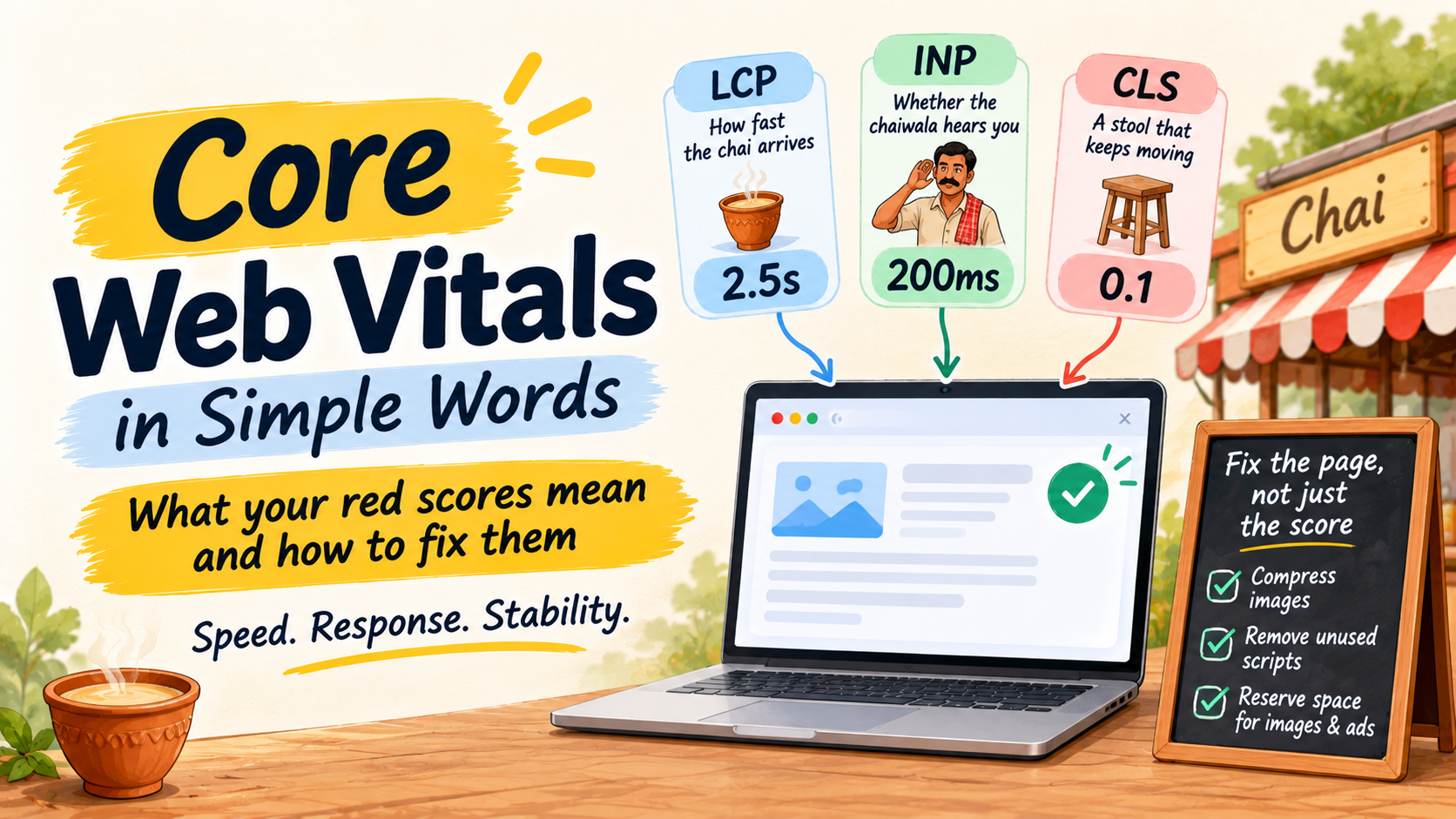
Your developer says the site “has Core Web Vitals issues”. Your SEO report shows three red scores with strange names. You nod, because nobody has explained what they mean for the customer on the other side of the screen.
So let us explain it the way we would over a cutting chai. Think of a roadside chai stall you actually like going to. Three things decide whether you come back: how fast the chai arrives, whether the chaiwala hears you when you ask for another one, and whether your stool stays still while you sit on it.
Google measures exactly these three things on your website. Here they are, with the numbers, and one small thing to do this week for each.
1. LCP: how fast the chai arrives
LCP stands for Largest Contentful Paint. It is the time your page takes to show its biggest item, usually the top image or the main headline. Google’s good line is 2.5 seconds or less. Anything above 4 seconds is poor.
The causes are usually boring and fixable. A huge photo straight from the camera or the designer, a cheap hosting plan, a slider that loads five large images, or too many plugins running before the page shows anything. Say your homepage opens with one of those photos. A visitor on a mid-range phone and a patchy mobile network stares at a half-empty page, and some of them leave before the chai arrives.
2. INP: whether the chaiwala hears you
INP is Interaction to Next Paint. It measures the gap between a visitor tapping something, like a menu, a button or a form field, and the page visibly reacting. Good is 200 milliseconds or less. Poor is more than 500.
A bad INP feels like a website that hangs for a moment. It is mostly caused by too much JavaScript: chat widgets, tracking tags, pop-up tools, animation libraries and heavy page builders. The practical fix is to remove what you do not use. In our experience, a site with four marketing tools that nobody checks anymore is a very common find.
One note on names. Older guides talk about FID, First Input Delay. Google replaced it with INP in March 2024, so if a report or an agency still talks about FID, it is out of date.
3. CLS: the stool that keeps moving
You have seen this one. You go to tap a button, the page shifts, and you tap an advert or the wrong link instead. That is layout shift, and CLS is the score for it. Good is 0.1 or less. Poor is more than 0.25.
It usually happens when images have no set width and height, when a banner or cookie notice pushes the content down after loading, or when a web font swaps in late. It is the easiest of the three to fix, and often only needs a developer to reserve space for those elements.
The three numbers in one place
| Score | The chai stall version | Good | Poor |
|---|---|---|---|
| LCP | How fast the chai arrives | 2.5 seconds or less | More than 4 seconds |
| INP | Whether the chaiwala hears you | 200 ms or less | More than 500 ms |
| CLS | A stool that stays still | 0.1 or less | More than 0.25 |
Google measures these from real visits by real people, and a page passes when at least 75% of those visits meet the good line. That is why a site can feel quick on your office Wi-Fi and still score badly for customers on the road.
Do Core Web Vitals help you rank? A little, and honestly
Google’s Search Central documentation says Core Web Vitals are used by its ranking systems. It also says good scores in a report do not guarantee good rankings. Google recommends them because they help visitors, not because they will lift a weak page.
Our view is simple. Relevance and helpful content still decide most results, and a slow page with the best answer can beat a fast page with a thin one. But when two pages are close, or when a visitor is about to give up on your enquiry form, speed and stability matter. We fix Core Web Vitals for the visitor first and treat any ranking benefit as a bonus.
Check your own scores in ten minutes
Here is the kind of conversation we have when someone asks us where to even start.
✎ Team notes: where to start
Owner: My report shows red scores. Where do I look first?
Us: Use two free Google tools, and look at real-visitor data before anything else. First, the Core Web Vitals report in Search Console. It groups your pages into Good, Needs improvement and Poor for mobile and desktop, and names the issue behind each group.
Owner: And the second one?
Us: PageSpeed Insights. Paste one important page address. Read the “field data” at the top first, because that is real visitors. The suggestions below it come after.
Owner: Which pages should I test?
Us: The ones that bring you enquiries: the homepage, your main service pages and the contact page.
Owner: Why not test the whole site?
Us: When we work with a software company or an IT services firm, the first question we ask is not “what is your score?” but “which pages bring you enquiries?” That tells us where a slow page actually costs money, and where we can leave things alone.
P.S. If you have not looked at the basics of your site health yet, our technical SEO checklist for small business is a good companion to this post.
Three mistakes we see founders make
- Chasing a score of 100. The 0 to 100 Lighthouse number is a lab estimate. What counts for Google is real-visitor data for LCP, INP and CLS.
- Testing only on desktop. Many of your visitors are on mobile, so check the mobile tab first.
- Buying a speed plugin as a cure-all. Plugins can help, but they cannot fix a huge image or a heavy theme. And do not redesign the whole site for a problem that is three oversized pictures.
LCP: how quickly the main part of your page appears. Aim for 2.5 seconds or less.
INP: how quickly the page reacts when someone taps or clicks. Aim for 200 milliseconds or less.
CLS: how much the page jumps around while it loads. Aim for 0.1 or less.
Start with the pages that bring you enquiries. Fix them for your visitors, and treat any ranking benefit as a bonus.
The numbers in this post come from Google’s Core Web Vitals guidance for Search and the web.dev article on how the thresholds were defined.
FAQs
What are the three Core Web Vitals?
Largest Contentful Paint (loading), Interaction to Next Paint (responsiveness) and Cumulative Layout Shift (visual stability). Together they describe how fast and steady a page feels.
What is a good Core Web Vitals score?
An LCP of 2.5 seconds or less, an INP of 200 milliseconds or less and a CLS of 0.1 or less, for at least 75% of real visits.
Will fixing Core Web Vitals improve my rankings?
It can help, but Google says good scores do not guarantee good rankings. Fix them mainly for visitors and keep working on helpful, relevant content.
Do I need a developer to fix them?
Compressing images and removing unused plugins you can often do yourself. Layout shifts and script problems usually need a developer, but you can now brief them with a short, clear list.
Red scores and not sure which ones matter?
Tell us about your business and send us your report. We will tell you what is worth fixing for your customers and what can wait.
Prefer WhatsApp or a call? +91 99131 53530. The first conversation costs nothing.