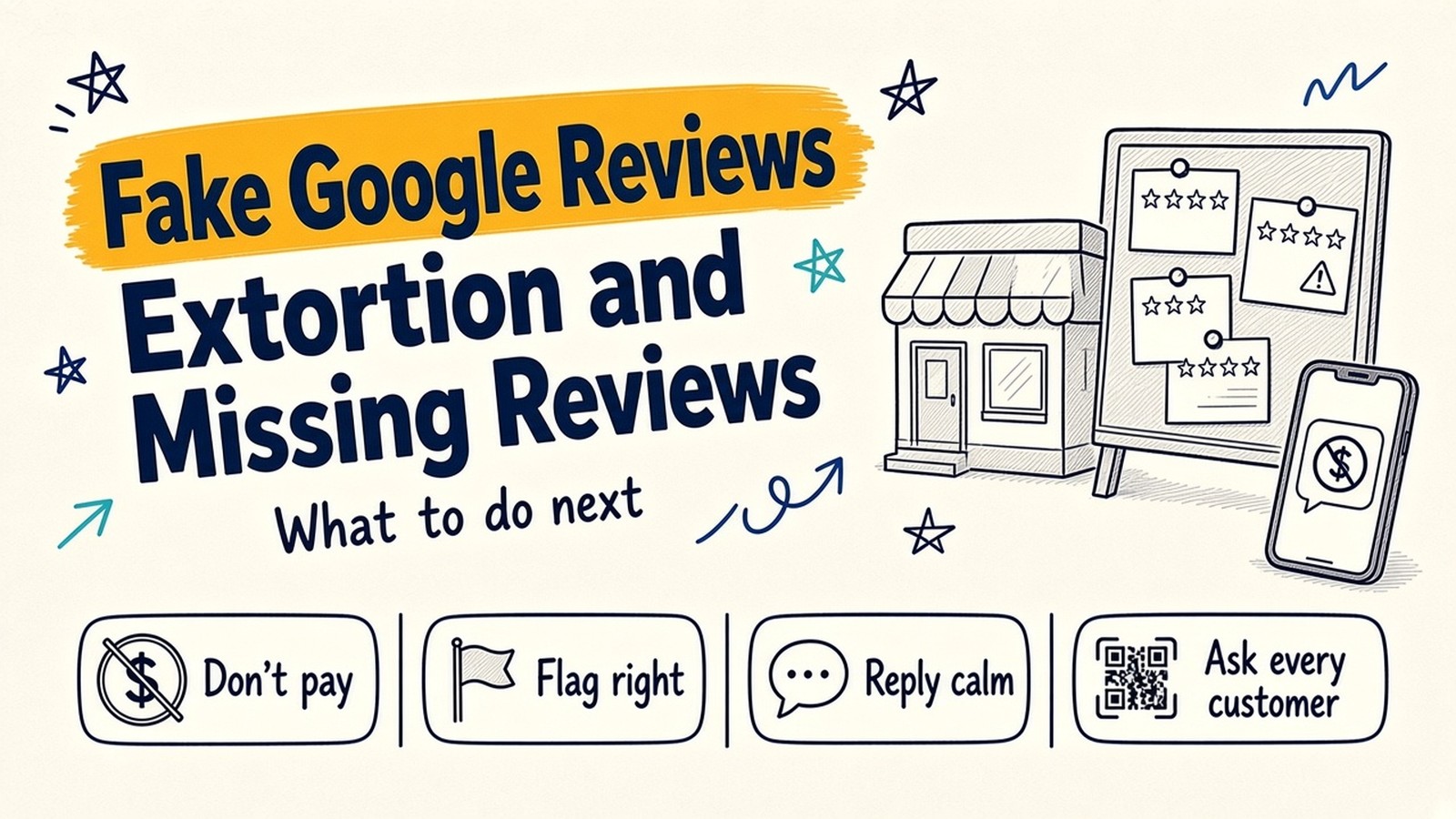
You open your Google Business Profile on a Monday morning and see six new 1-star reviews. None of the names are customers you know. Then a WhatsApp message arrives: pay, and the reviews stop.
For a clinic, restaurant or shop, reviews are often the first thing a new customer reads. When they go wrong, owners lose calls and walk-ins, and often have no idea where to start.
Think of your reviews as a notice board outside your shop. Anyone can pin a note on it. You can pin a reply under each note, but you cannot take any note down yourself. Google owns the board and decides which notes break the rules.
This guide covers five common Google review problems, in order of urgency. Everything about Google’s rules comes from Google’s own help pages, linked in the text. We cannot promise any review will be removed. Only Google decides that.
The screenshots in this post are from Google’s public Business Profile Help pages, as they appeared on 22 November 2026.
1. Someone threatens 1-star reviews unless you pay
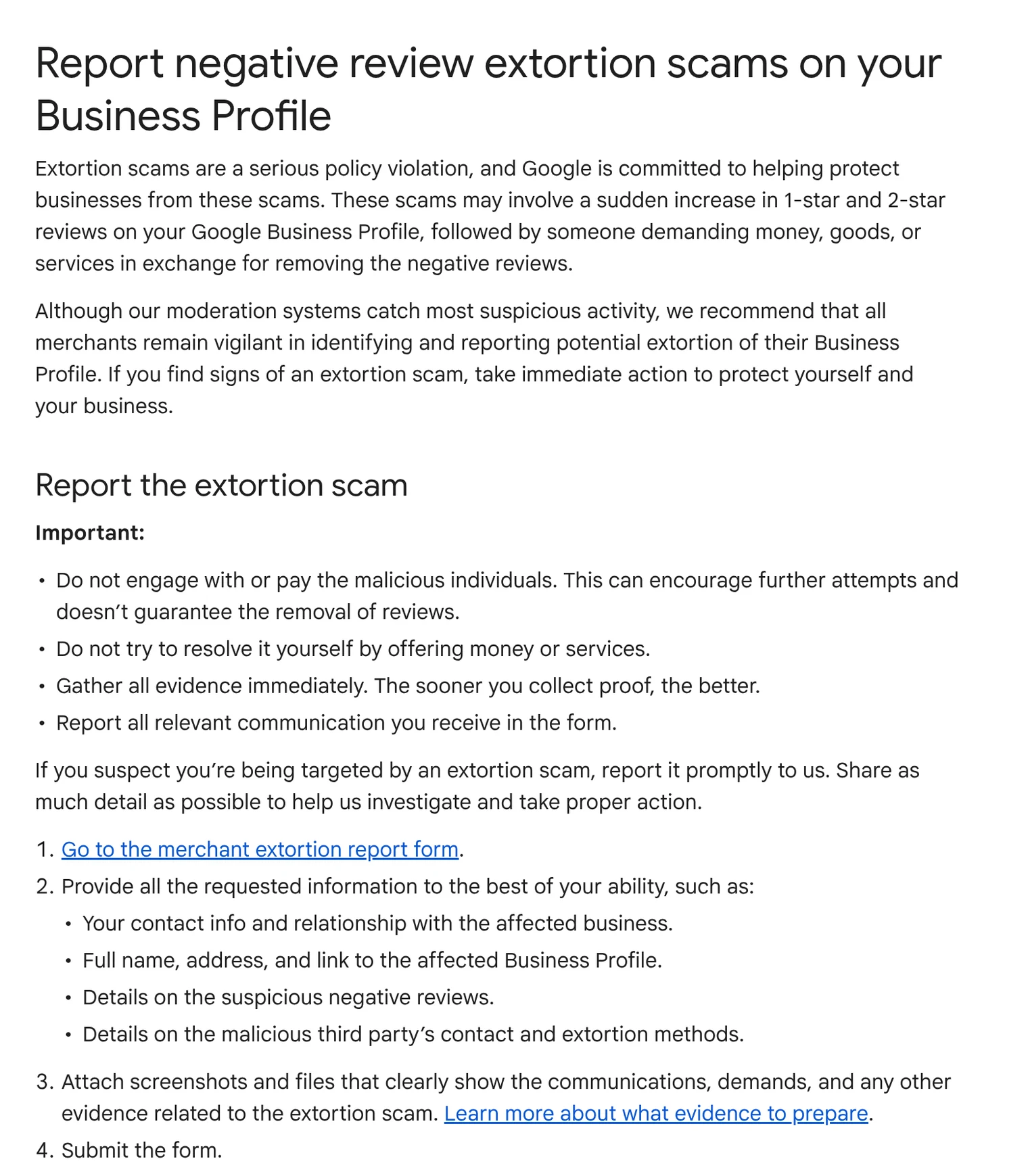
This is review extortion. Google describes it as a sudden increase in 1-star and 2-star reviews on your profile, followed by someone “demanding money, goods, or services in exchange for removing the negative reviews”. The demand often comes by email, WhatsApp, Telegram or social media.
What Google tells you to do:
- Do not pay or engage. Google says paying “can encourage further attempts and doesn’t guarantee the removal of reviews.”
- Collect evidence now. Screenshots of every message, showing the date, time and the sender’s email, phone number or profile.
- Copy the link to each suspicious review.
- Note two times: when the review spike started and when the demand arrived.
- Use Google’s merchant extortion report form, not the normal flag button. Google’s help page links to it and says the form is only for cases where someone has directly demanded money or favours to remove reviews.
Extortion in three steps: do not pay, screenshot everything, report it to Google.
After you submit, Google says it investigates and tells you the result, but it cannot share details of the investigation.
2. Fake 1-star reviews from people who never visited
Not every bad review is fake. But Google’s own policy says reviews must “reflect a genuine experience”. It lists as fake engagement content “not based on a real experience”, reviews “paid for, directly or in kind”, and reviews posted from multiple accounts by one person. It also bans conflict-of-interest content, for example from current or former employees or competitors.
How to spot a likely fake. In our experience, look for a mix of these signs: you have no record of the person as a customer; several reviews land in a short burst; the text is vague or does not match what you sell; or the profile has few other reviews. One sign alone proves nothing.
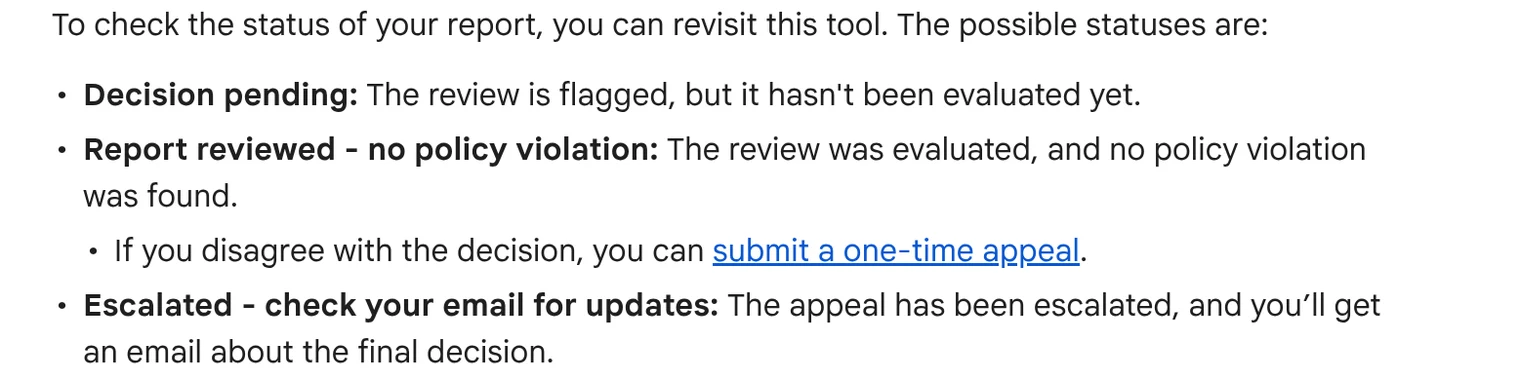
How to flag it properly. From your Business Profile, open “Read reviews”, select Report next to the review and pick the reason. You can also use Google’s Reviews Management Tool, which shows the status of each report. Google says evaluation “typically takes several days”.
If Google says no. The tool may show “Report reviewed, no policy violation”. Google allows a one-time appeal from the same tool, for up to 10 reviews at a time. If the appeal also fails, the review stays.
Google is also clear on one point: do not report a review just because you dislike it. It says it “doesn’t get involved in conflict between businesses and customers.” When a fake review stays up, a calm public reply (see problem 4) is your best tool. If a review makes false claims that seriously harm you, talk to a lawyer about your options.
3. Your Google reviews suddenly disappeared
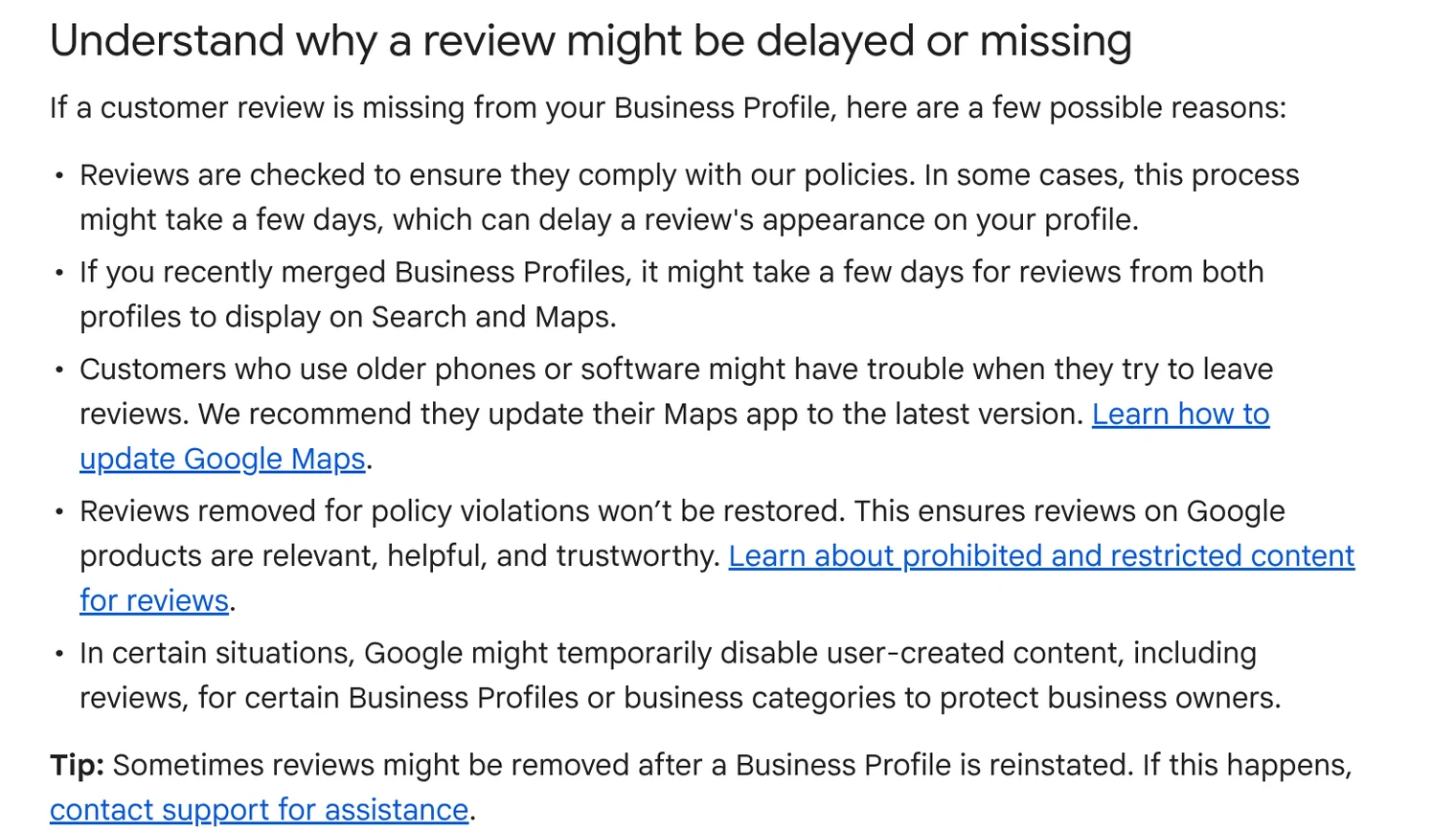
Owners often panic when good reviews vanish. Google’s help page on missing reviews gives these reasons:
- Policy removals. Google says reviews are usually removed for policy violations like spam. Google also says reviews removed for policy violations “won’t be restored”.
- Checks take time. New reviews are checked first, which can delay them by a few days.
- Merged profiles. After merging Business Profiles, it can take a few days for reviews to show.
- Old apps. Customers on older phones or apps may have trouble posting.
- Temporary limits. Google may temporarily turn off reviews for some profiles or business categories “to protect business owners”. Some school categories no longer have reviews at all.
The most common cause we can fix with owners is a pattern that looks like rating manipulation. Google says it removes reviews posted because of an incentive, and content showing “unusual volumes or patterns” of reviews. A sudden rush of reviews after a staff push or a discount offer can trigger this.
4. How to reply to a bad review without making it worse
Your reply is public and stays under the review. Google notifies the reviewer, and they can still change their review after reading it. Google’s tips are simple: be professional and polite, keep it short, protect the reviewer’s privacy, avoid personal attacks, be honest about what you can and cannot do, and apologise when it is right to.
Here is one invented example, so you can see the difference.
Example review (invented): “Waited 50 minutes past my appointment. Nobody told me anything. Never again.”
A reply that makes it worse:
“We have checked our records and you arrived late. We are a busy clinic. Maybe try somewhere else.”
This argues, shares details from your records and sounds cold to every future customer reading it.
A reply that helps:
“We are sorry about the wait, and that nobody kept you updated. That is not how we want anyone to feel. We have asked our front desk to update patients when the doctor is running late. If you are open to it, please call us on our main number so we can make it right. The Clinic Team”
It is short, owns the mistake, names one fix and moves the details offline. For a fake review, keep it calm and factual: “We cannot find any record of your visit. If you were with us, please call so we can look into it.”
Bad reply vs good reply: future customers read your reply, not just the review.
5. How to get more Google reviews without breaking the rules
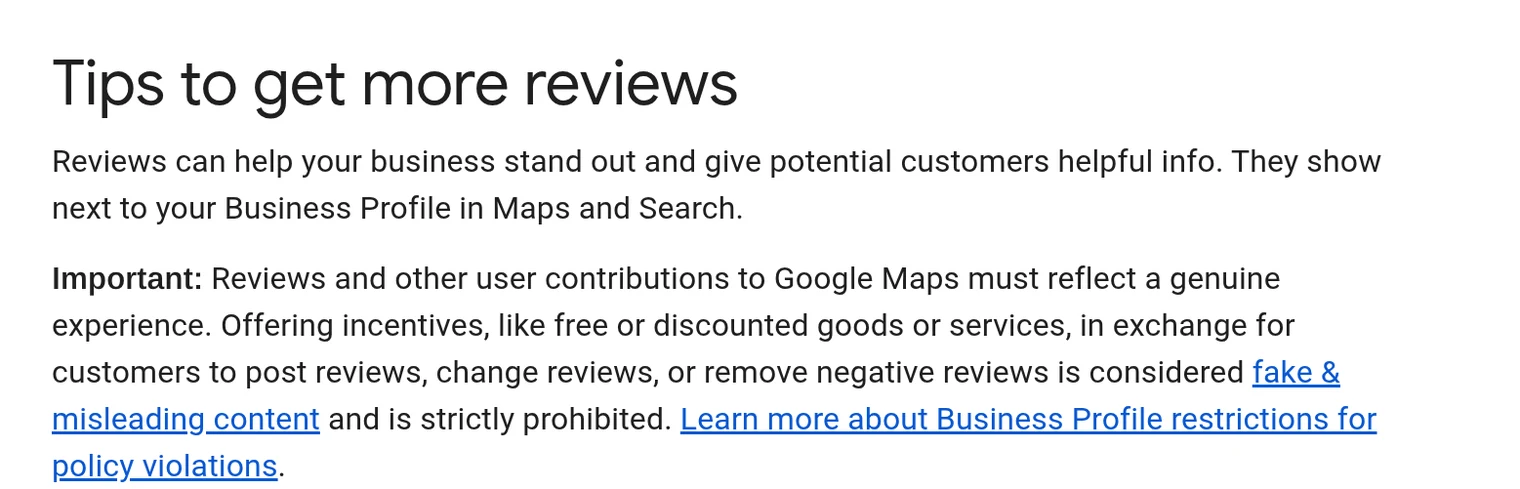
Google wants you to ask for reviews. Its policy allows merchants to “solicit or encourage” genuine reviews, as long as there is no incentive and no attempt to influence the rating or content.
What Google does not allow:
- Offering payment, discounts or free goods or services for a review, or to change or remove one.
- Discouraging negative reviews, or “selectively” asking only happy customers. This is often called review gating.
- Pressuring customers to review while still on your premises.
- Asking staff to collect a set number of reviews, or reviews that mention a specific staff member.
In the US, the FTC’s rule on consumer reviews, in force since 21 October 2024, also bans buying fake reviews and offering incentives for reviews of a particular sentiment, among other practices.
Easy ways that are allowed:
- Create your Google review link or QR code from your Business Profile and share it with every customer, not only the happy ones.
- Add it to receipts, invoices, follow-up emails or WhatsApp messages after a visit.
- Reply to reviews regularly. Google says replies show customers their feedback matters.
Ask everyone, not just fans: asking only happy customers is review gating, and Google does not allow it.
When it is time to get help
Some fixes take minutes, like replying well and sharing a review link. Others are hard to do alone: building an extortion report Google can act on, deciding which reviews are worth flagging and appealing, working out why reviews vanished, and setting up a steady, rule-safe way to ask for reviews. That is the work we do with local businesses. For the basics of your profile, see our Google Business Profile guide and six easy profile fixes.
The short version
- Review extortion: do not pay, save evidence and use Google’s merchant extortion report form.
- Fake reviews: flag them with the right reason, track them in the Reviews Management Tool, and use the one-time appeal.
- Missing reviews: usually policy removals, checks, merged profiles or incentive patterns. Removed reviews are not restored.
- Bad reviews: reply short and calm. Say sorry, name one fix and take it offline.
- More reviews: ask every customer, with no incentives, no gating and no pressure.
- Only Google decides which reviews come down.
FAQs
Can I get fake Google reviews removed?
You can report them. Google removes reviews that break its policies, such as fake or conflict-of-interest content. It does not remove reviews just because they are negative.
What do I do if someone asks for money to remove 1-star reviews?
Do not pay. Save screenshots of every message, copy the review links and report it through Google’s merchant extortion report form.
Why did my Google reviews disappear?
Common reasons include policy removals, reviews still being checked, recently merged profiles and patterns that look like rating manipulation.
Can I offer a discount for a Google review?
No. Google prohibits incentives for posting, changing or removing reviews. In the US, the FTC’s consumer review rule also bans incentives tied to positive or negative reviews.
Should I reply to fake reviews?
Yes, calmly. Say you have no record of the visit and invite them to contact you. Future customers judge your reply too.
Is a review problem hurting your business right now?
Send us your Google Business Profile link and we’ll check your reviews and tell you what to do, free. Talk to us through our form or on WhatsApp at +91 99131 53530. The first conversation is free.