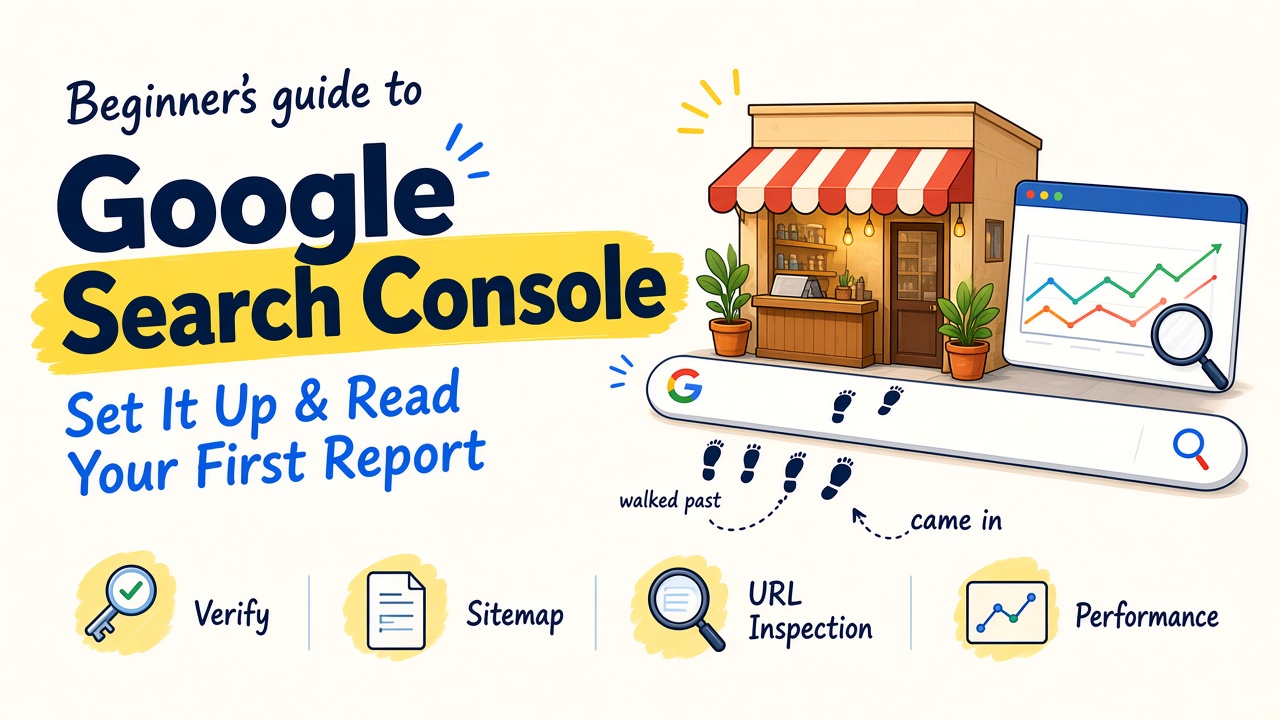
Picture a kirana shop on a busy road. Hundreds of people walk past every day. A few step in and ask for something. From behind the counter, the owner sees it all and learns what people want.
Your website sits on a much busier road: Google Search. But if you have never set up Google Search Console, you have no counter to stand behind. You cannot see who walked past or who stepped in.
In our experience, many founders in India have had a website for years without ever opening Search Console. This post shows you how to set it up and read one report, the Performance report, once a week. That is the whole habit.
The screenshots in this post come from our own Search Console account for thrillax.com, so you see exactly what the real screens look like.
Search Console is your view from behind the counter.
Search Console is your counter view of Google
Search Console is Google’s tool for seeing how your site does in Google Search. It shows how Google crawls (visits), indexes (stores) and serves your pages, and emails you when it finds a new problem.
Say you run a dental clinic in Pune. Search Console can show you that people searched for “root canal cost pune”, that your page appeared for it, and how many of them clicked.
If SEO itself is new to you, read our SEO for beginners guide first.
Choose the right property, then prove the shop is yours
A “property” is Search Console’s word for the website you want to track. You get two choices:
- Domain property (example.com): covers every version of your site, with or without www, http or https, and all subdomains. It can only be verified with a DNS record at your domain provider (where you bought the domain).
- URL-prefix property (https://www.example.com/): covers only addresses that start with that exact prefix. You can verify it with an HTML file, an HTML tag on your homepage, or your existing Google Analytics or Google Tag Manager code.
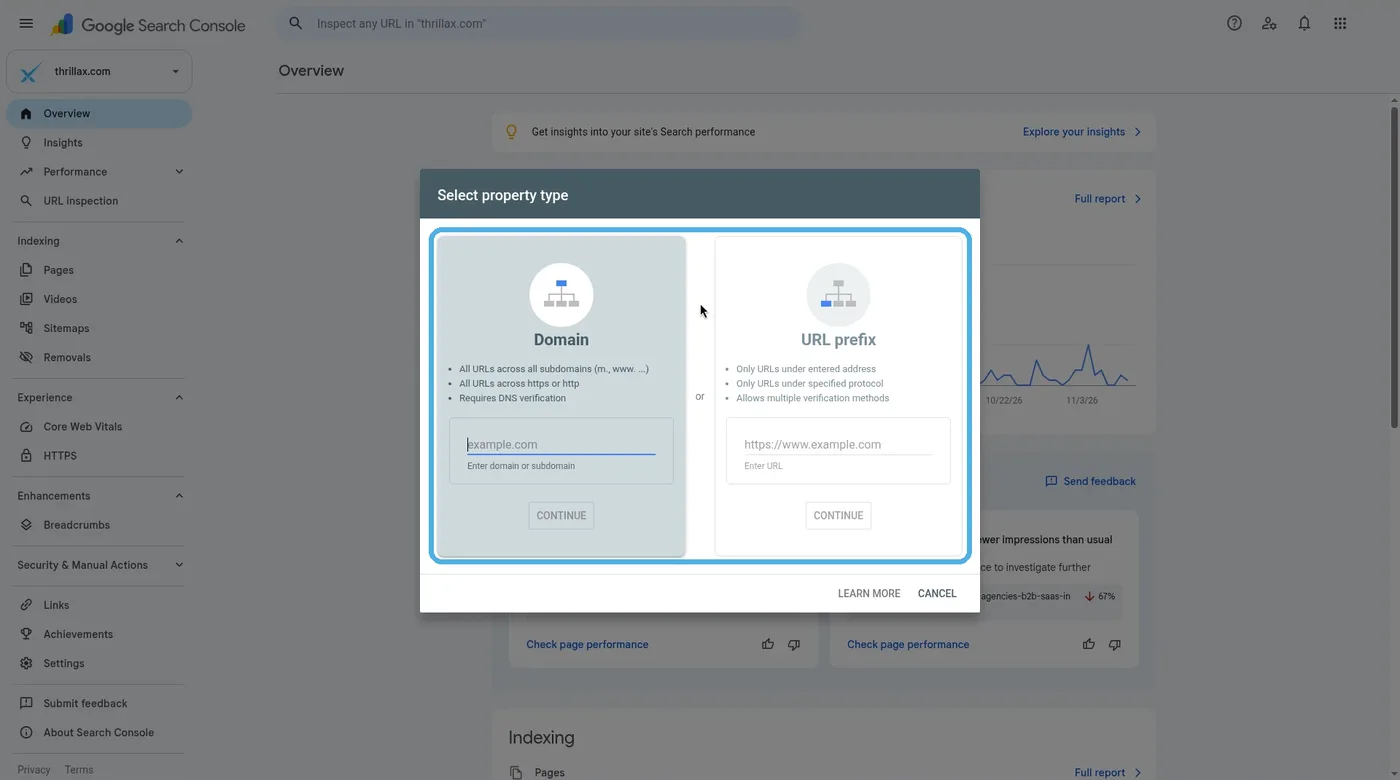
Verification is simply proof that you own the shop before Google hands you the register.
On WordPress? Google’s help page names Site Kit, its own WordPress plugin, as one way to handle verification. If you can log in to your domain provider, choose a Domain property, because it puts everything in one place.
A DNS record added by hand can take two or three days to start working, so if verification fails, wait and retry. Keep the record, tag or file in place afterwards, or you can lose access.
Hand Google your stock list with a sitemap
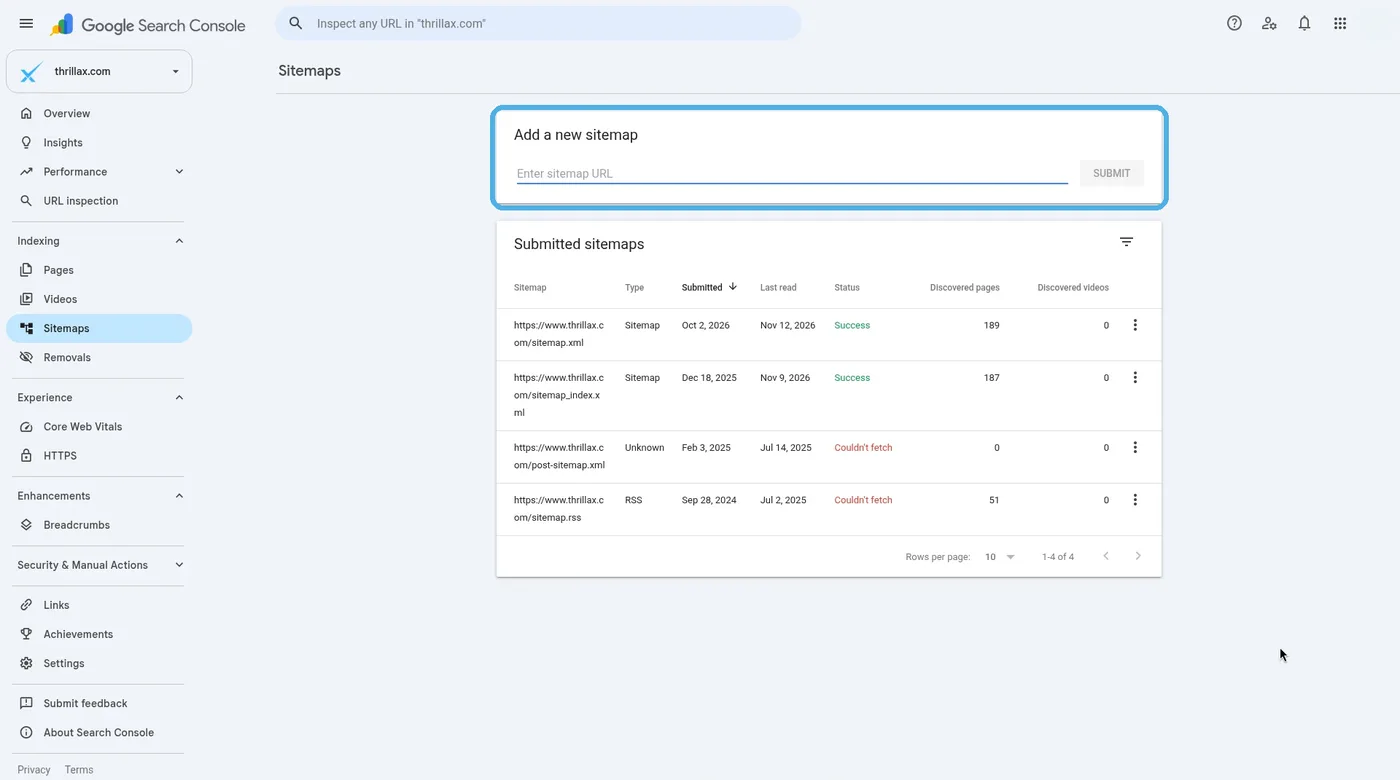
A sitemap is a file on your site that lists the pages you want Google to know about. Think of it as the stock list you hand to a new supplier.
You may not need one. Google says that if your site has about 500 pages or fewer, and every page can be reached through links from your homepage, you probably do not need a sitemap. Hosting platforms like Wix and Squarespace usually manage one for you.
Now say you run a furniture store with 2,000 product pages buried in categories. A sitemap helps here. Open the Sitemaps report, paste your sitemap address and click Submit. Google says it fetches the file right away, but crawling the pages in it takes time, and not every page is guaranteed a visit.
Check that your best shelf is actually on display
Two tools tell you whether Google has stored your pages.
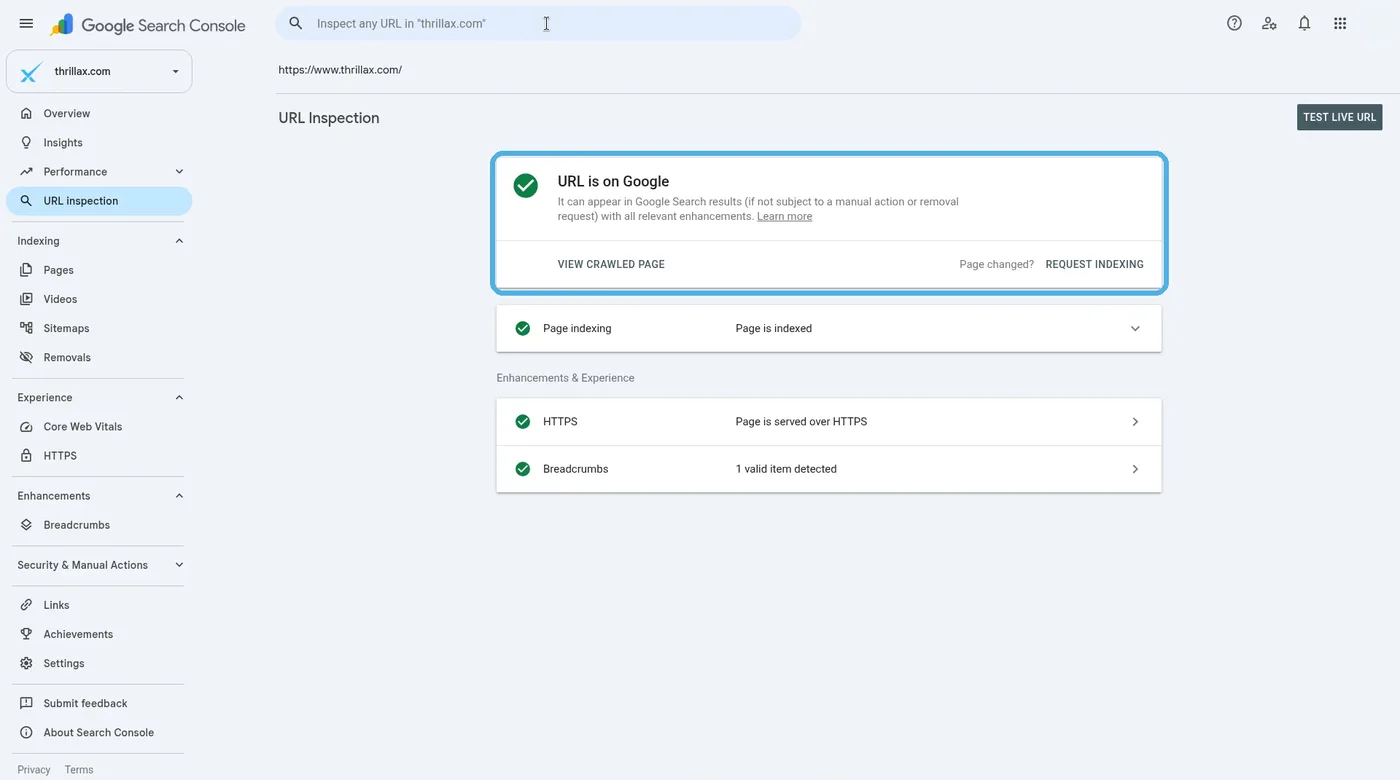
The URL Inspection tool checks one page. Paste any address from your site into the bar at the top. It says “URL is on Google” or “URL is not on Google”, and why. You can also click Request indexing. Google says this typically takes a day or so, sometimes longer, and is not guaranteed.
The Page indexing report shows how many pages are indexed and how many are not, with reasons. Do not panic at the “not indexed” number. Google says duplicates, removed pages and pages blocked on purpose are fine to leave out. Focus on your important pages.
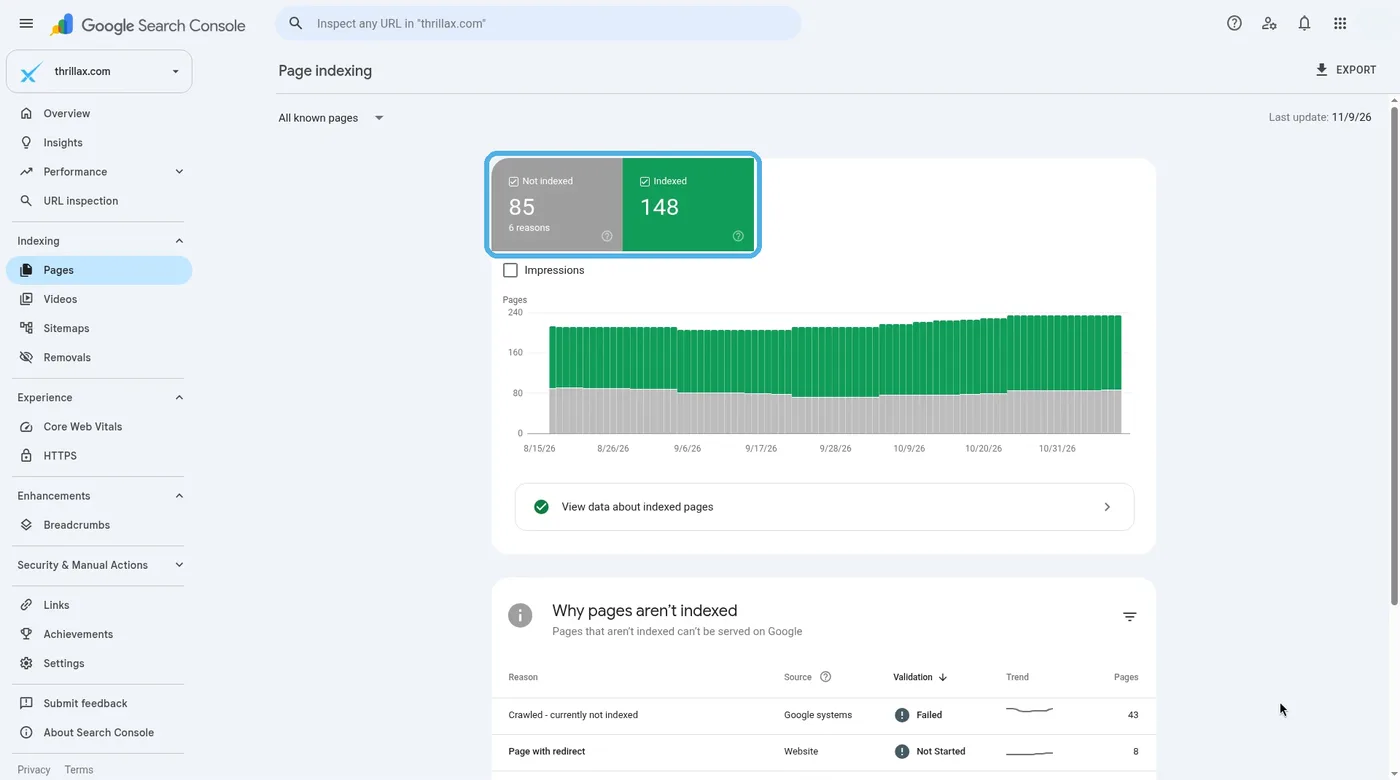
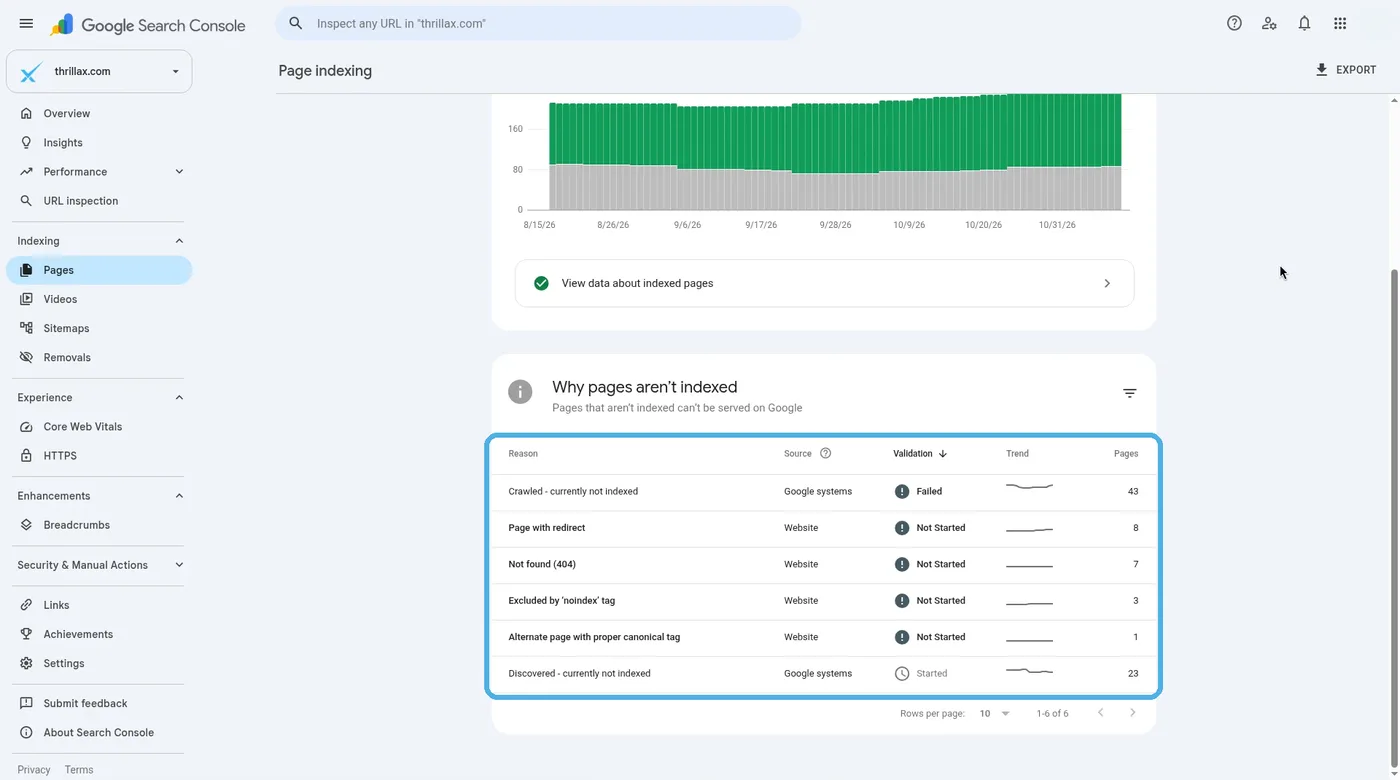
Say your CA firm’s new GST services page never shows up in search. Inspect it. The details may point to something simple, like a “noindex” tag your developer forgot to remove. Our technical SEO checklist covers more checks like this.
Read the four numbers in the Performance report
Open Performance, then Search results. By default it shows the last three months, with four numbers at the top:
- Impressions: how many times your site appeared in Google results. The people who walked past your board.
- Clicks: how many times someone clicked through to your site. The people who stepped inside.
- CTR (click-through rate): clicks divided by impressions. Out of everyone who walked past, how many came in.
- Average position: the average position of your highest result. How close your shop sits to the main road.
Four numbers tell you who walked past and who came in.
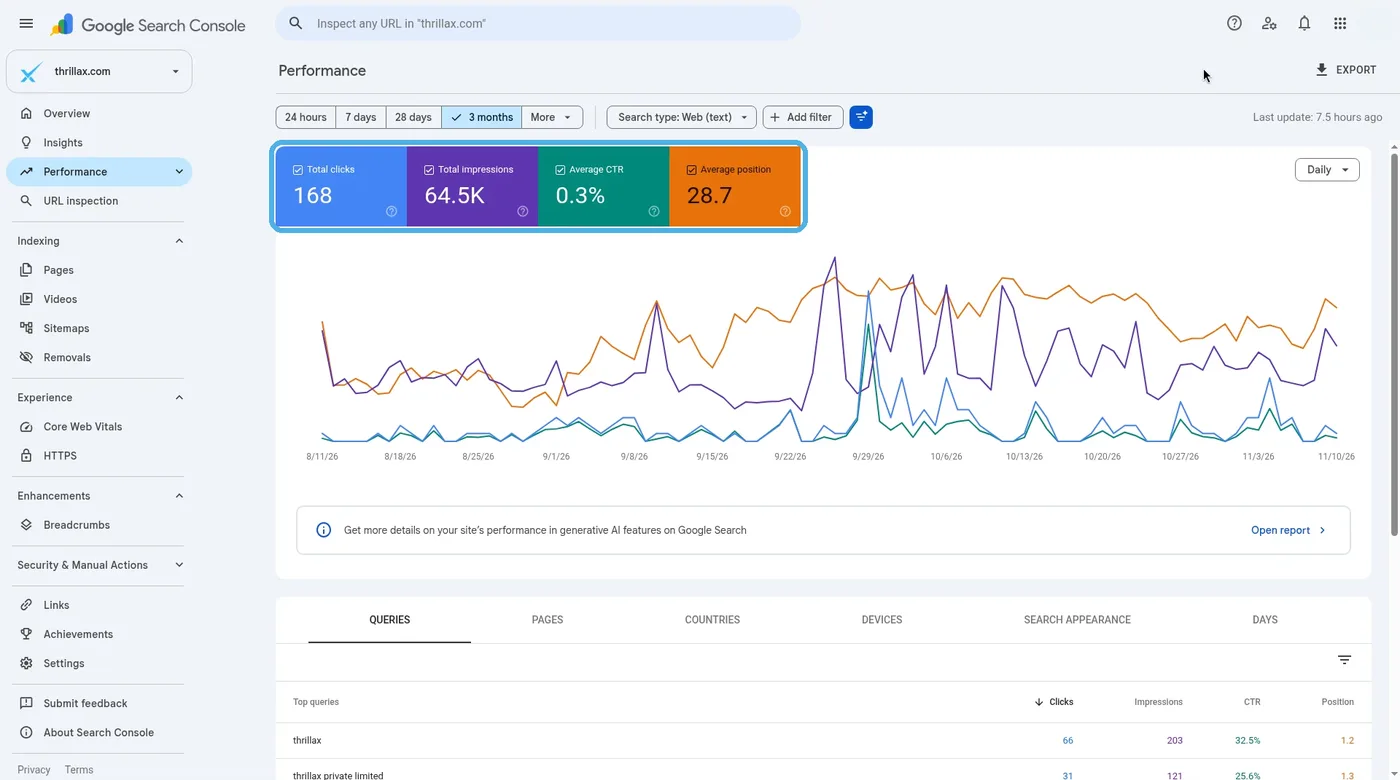
Below the chart, the Queries tab shows what people searched and the Pages tab shows where they landed.
Say your bakery in Ahmedabad shows 4,000 impressions and 40 clicks for “eggless cake near me”. That is a CTR of 1%. People see your board but walk on. We would look at that page’s title and description first.
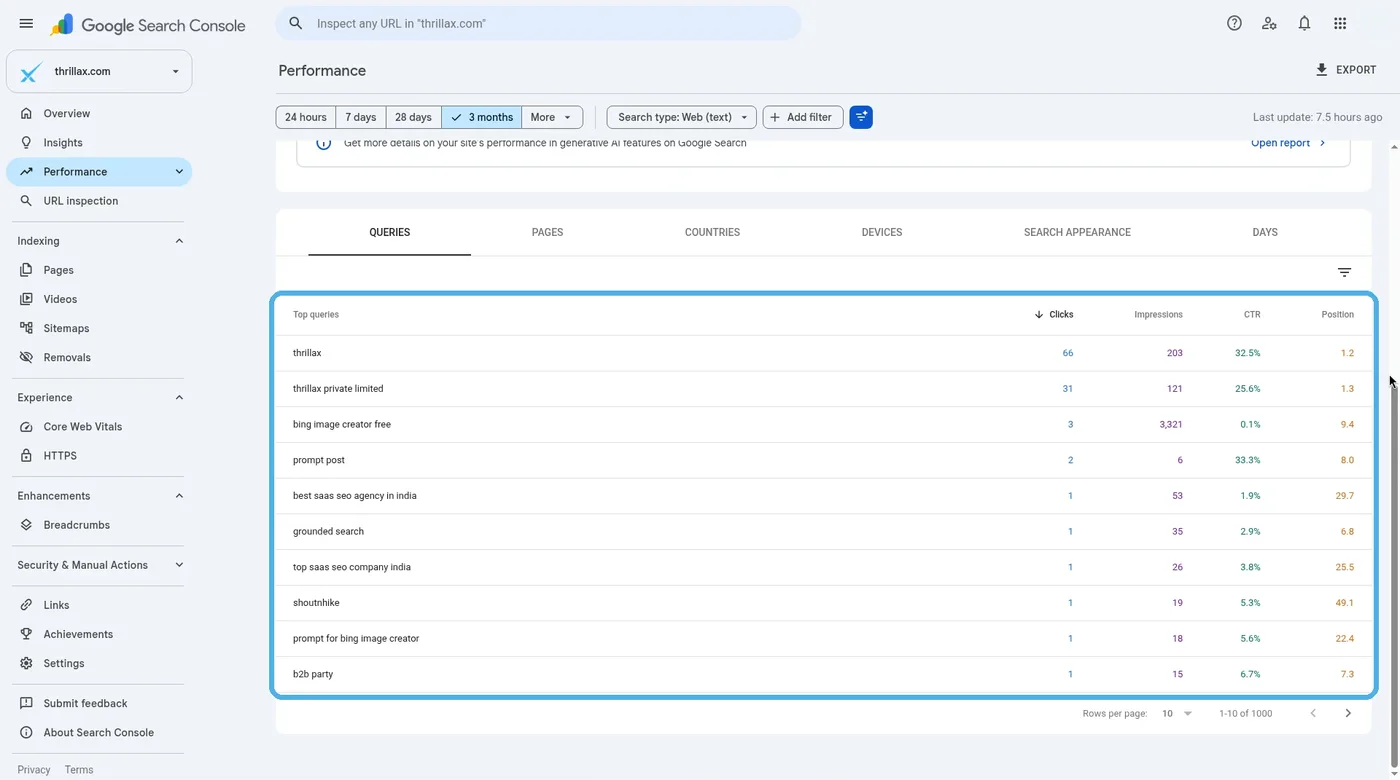
The Queries tab is also a source of new topics. Our local keyword research post shows how to use them.
Make it a ten-minute habit every week
Google says you need not sign in daily, since it emails you about new issues, and suggests a look about once a month. In our experience, owners who are just starting do better with a short weekly check. A shopkeeper who checks the register every Sunday spots a slow week before it becomes a slow month.
Same day, ten minutes, every week.
Each week, compare last week’s clicks and impressions with the week before, scan the Queries tab for new search terms, check the Pages tab for important pages that are dropping, and read any Search Console emails.
A few things to know:
- Data normally shows up within 2 or 3 days, and the newest data can still change.
- Search Console keeps 16 months of data. Export anything you want to keep longer.
- Dates in the Performance report follow California time, so days will not line up exactly with Indian time.
- If your pages appear in Google’s AI Overviews or AI Mode, that is counted inside the normal “Web” numbers.
The short version
- Search Console shows how your site appears in Google Search, like a counter view of your shop.
- Choose a Domain property if you can add a DNS record. If not, use a URL-prefix property.
- Submit a sitemap if your site is large or hard to navigate.
- Use URL Inspection to check whether a key page is on Google.
- Every week, check impressions, clicks, CTR and average position in the Performance report.
FAQs
Do I need a developer to set up Search Console?
Not always. Your website platform may have a built-in setting or plugin for it. For a Domain property you add a DNS record at your domain provider, which some owners hand to their developer.
Why is there no data after I verified my site?
Google says data can take up to a week to appear for a newly added site. After that, check you added the right version of your address, for example https and not http.
Will Search Console improve my rankings?
No. It is a measuring tool, not a fix. It shows what is happening so you can make better decisions.
Does Search Console show traffic from Google’s AI Overviews?
Yes. Google counts appearances in AI Overviews and AI Mode within the “Web” search type in the Performance report.
Not sure what your numbers are telling you?
If a key page is missing from Google or the report looks confusing, talk to us. The first conversation is free, through our form or on WhatsApp at +91 99131 53530.